
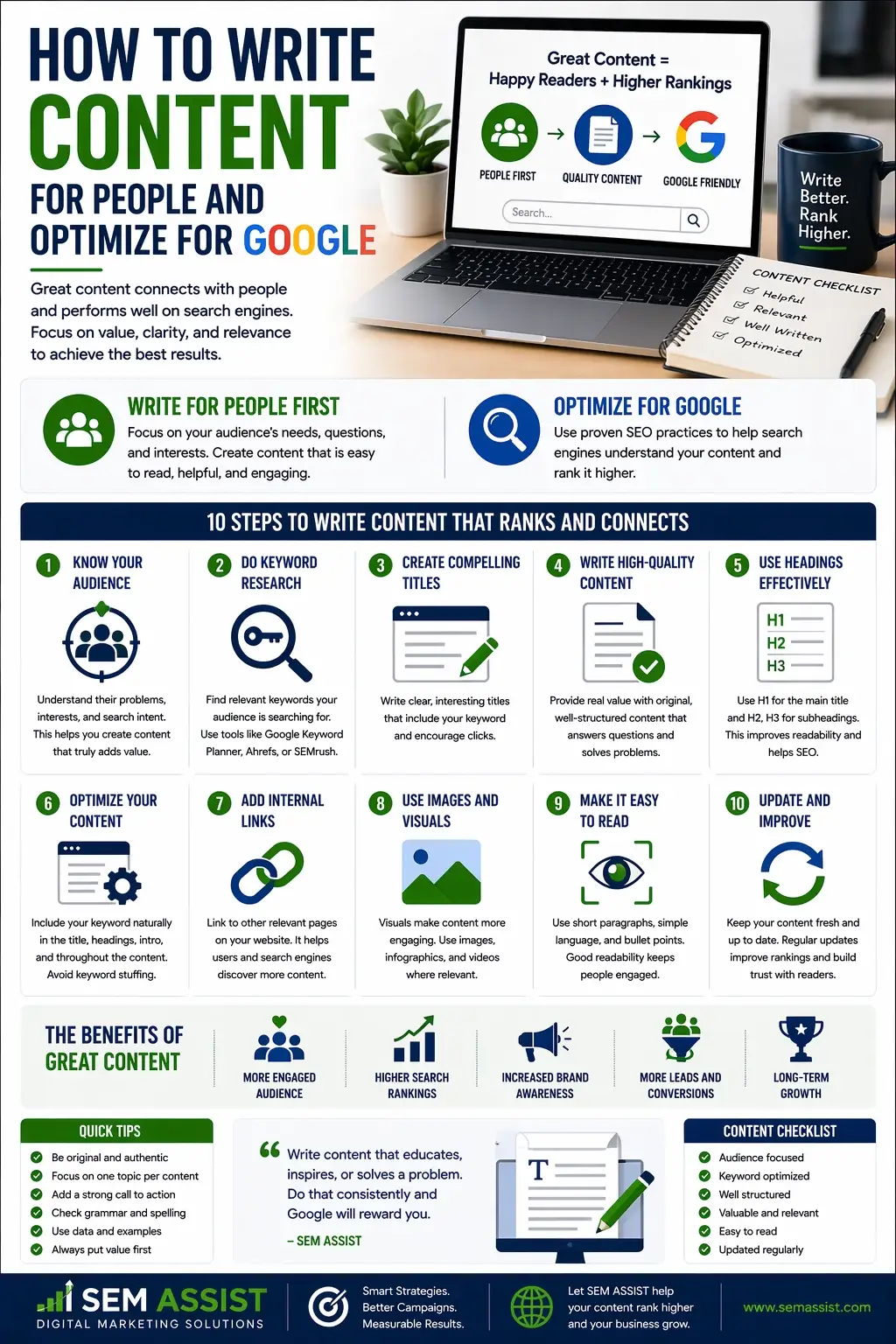
How to Write Content For People and Optimize For Google

How To Write Content For People and Optimize For Google

How to Write Content for People and Optimize for Google

Creating content that ranks on Google and connects with real people is one of the biggest challenges businesses face today. Many websites either focus too heavily on keywords and lose readability, or they write engaging content that never gets found in search.

The good news is that you do not have to choose between the two.

When done correctly, your content can rank well, engage your audience, and turn visitors into customers. Here is how to do it the right way.


Start With Search Intent, Not Just Keywords

Before you begin writing, you need to understand why someone is searching.

Every search typically falls into one of three categories. Informational searches are for learning. Navigational searches are for finding a specific website. Transactional searches are for taking action or making a purchase.

Instead of focusing only on phrases like HVAC repair near me, think about the problem behind the search. Ask yourself what the user is trying to solve and what type of answer they expect.

When your content aligns with that intent, it becomes far more valuable to both the reader and Google.


Write Like a Human First

Search engines have become much smarter. Google now prioritizes content that is helpful, natural, and easy to read.

This means using clear language, writing conversationally, and avoiding robotic phrasing. Your content should feel like a real conversation with your audience.

Keep paragraphs short and make your points easy to understand. If it sounds unnatural when you read it out loud, it likely needs improvement.


Use Keywords Strategically

Keywords still play an important role, but they should be used with intention.

Focus on one primary keyword that represents your main topic. Then include supporting keywords that naturally relate to it.

Place these keywords in important areas such as your title, headings, opening paragraph, and meta description. You can also include them in image descriptions.

The key is to keep everything natural. Google understands context better than ever, so there is no need to force keywords into every sentence.


Structure Your Content for Readability

Even strong content can fail if it is difficult to read.

Use clear headings to organize your ideas. Break up text into short sections. Include bullet points when appropriate and highlight important ideas to guide the reader.

Most people scan content before they fully read it. A clean structure makes it easier for them to find what they need quickly.


Answer Questions Clearly

One of the most effective ways to rank higher is by answering common questions in your industry.

Think about what your customers ask most often. Provide direct and helpful answers early in your content.

Clear answers improve user experience and increase your chances of appearing in featured results on Google.


Optimize On Page Elements

In addition to writing great content, you need to help search engines understand it.

Make sure your page includes a strong title and description, proper heading structure, internal links to related pages, and links to trusted sources when relevant.

Images should be optimized with descriptive text and fast loading speeds.

These elements work together to improve both search visibility and user experience.


Focus on Value Instead of Length

Longer content is not always better.

Your goal should be to fully answer the topic without adding unnecessary filler. If you can provide value in fewer words, that is often more effective.

Quality content that solves a problem will always outperform content that is long but unfocused.


Keep Your Content Updated

Search engine optimization is not a one time effort.

Updating your content regularly keeps it relevant. This can include refreshing statistics, adding new insights, improving clarity, and expanding on useful sections.

Fresh content signals to Google that your page is still valuable.


Balance SEO With Conversion

Getting traffic is only part of the goal. Your content should also guide visitors toward taking action.

Include clear calls to action that encourage readers to contact you, request a quote, or learn more about your services.

Build trust through real results, testimonials, or case studies. Make it easy for users to move forward with confidence.


Final Thoughts

Writing content for people and optimizing for Google is about creating alignment. When your content is helpful, easy to read, and structured properly, it naturally performs better in search.

Focusing on real value will always lead to stronger results over time.

At SEM ASSIST, we create content strategies that not only rank but also drive measurable growth for your business.


Ready to Improve Your Content Strategy

If your current content is not delivering results, it may be time for a better approach. SEM ASSIST helps businesses create content that attracts the right audience and turns traffic into real revenue.
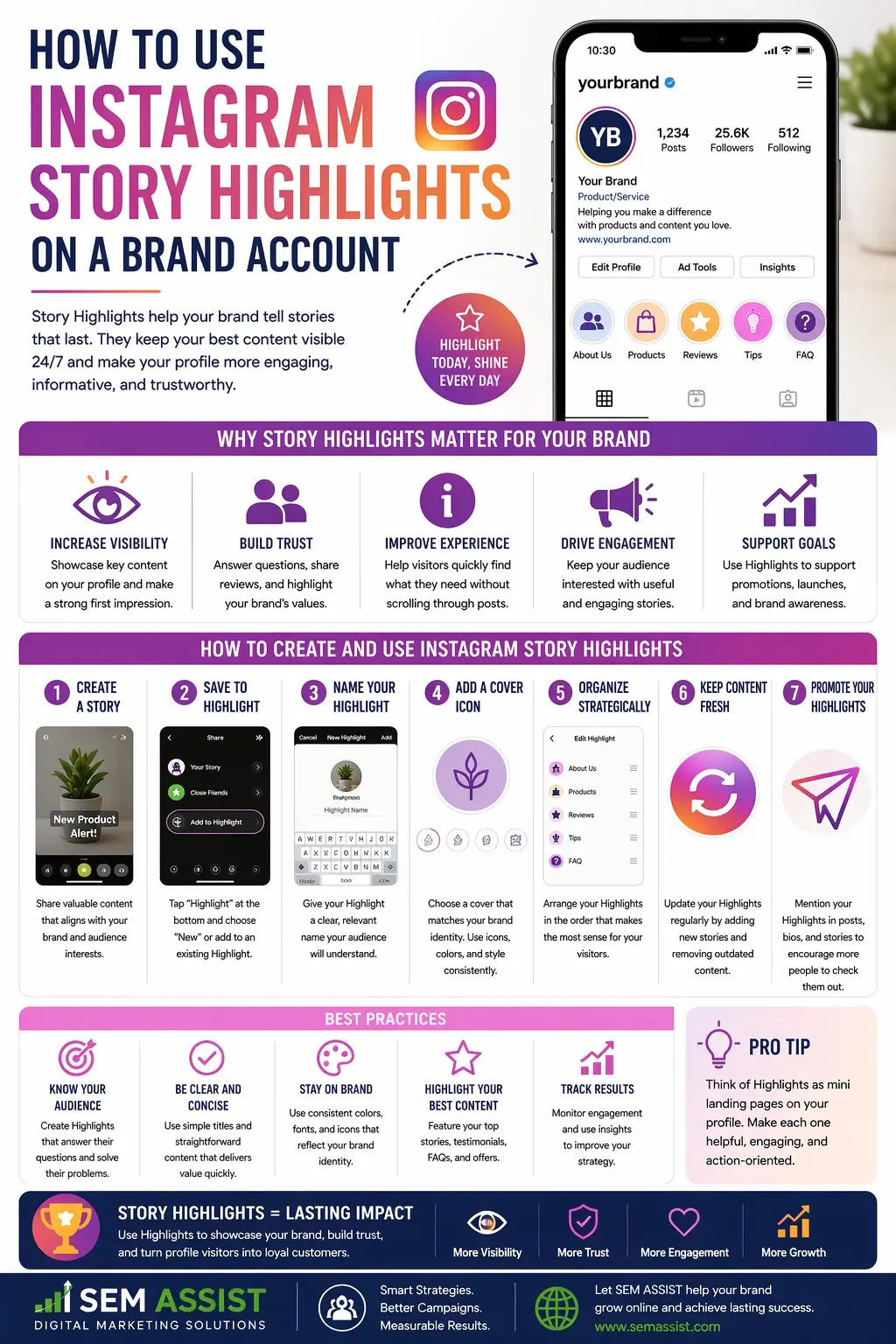
How to Use Instagram Story Highlights on a Brand Account

How To Use Instagram Story Highlights on a Brand Account

How to Use Instagram Story Highlights on a Brand Account

Instagram Story Highlights are one of the most underused tools on a brand account, yet they play a powerful role in building trust, showcasing services, and guiding potential customers toward taking action.

While Stories disappear after twenty four hours, Highlights allow you to keep your best content visible on your profile permanently. When used correctly, they can act as a mini website that helps visitors quickly understand your brand.

Here is how to use Instagram Story Highlights effectively for your business.


What Are Instagram Story Highlights

Instagram Story Highlights are curated collections of your past Stories that appear directly below your profile bio on Instagram. They give you the ability to organize important content into categories that your audience can access at any time.

Instead of letting valuable content disappear, Highlights allow you to keep key information front and center for new visitors.


Why Highlights Matter for Brand Accounts

When someone visits your profile, you only have a few seconds to make a strong impression. Your Highlights help you control that first impression by guiding users to the most important parts of your brand.

Highlights can help you:

  • Build credibility
  • Showcase services or products
  • Answer common questions
  • Display real customer results
  • Encourage conversions

Think of them as a visual extension of your website that lives directly on your profile.


Choose the Right Highlight Categories

The first step is organizing your content into clear and useful categories. Your Highlights should make it easy for someone to quickly understand what you offer.

Some effective categories include:

About Us

Introduce your brand, your story, and what makes you different

Services

Break down your core services so users know exactly what you provide

Results

Showcase before and after examples, case studies, or measurable success

Reviews

Share testimonials and customer feedback to build trust

FAQ

Answer common questions that potential customers often ask

Process

Explain how your service works from start to finish

Each category should serve a purpose and help move the user closer to taking action.


Design Clean and Consistent Covers

Your Highlight covers are the first thing people notice. A clean and consistent design makes your profile look more professional and easier to navigate.

Use simple icons, consistent colors, and branding that matches your overall identity. Avoid clutter and keep text minimal or nonexistent.

Consistency across all covers helps reinforce your brand and creates a polished look.


Keep Content Short and Valuable

Just like regular Stories, Highlight content should be quick and easy to consume.

Focus on:

  • Short video clips
  • Clear messaging
  • Strong visuals
  • Simple explanations

Each Story should deliver value quickly. Avoid overwhelming users with too much information in a single slide.


Use Highlights to Build Trust

Trust is one of the biggest factors in converting visitors into customers.

Use your Highlights to show real proof of your work.

This can include:

  • Client testimonials
  • Behind the scenes content
  • Completed projects
  • Real results and data

The more authentic your content feels, the more likely users are to trust your brand.


Guide Users Toward Action

Your Highlights should not just inform, they should guide users toward taking the next step.

Include clear calls to action within your Stories such as:

  • Visit our website
  • Send us a message
  • Request a quote
  • Book a consultation

Make it easy for users to know what to do next after viewing your content.


Update Highlights Regularly

Outdated content can hurt your brand image.

Make it a habit to review and update your Highlights regularly. Remove anything that no longer reflects your current services or results and replace it with fresh content.

Keeping your Highlights updated shows that your business is active and relevant.


Final Thoughts

Instagram Story Highlights are more than just saved Stories. They are a powerful tool that can help you communicate your brand, build trust, and convert profile visitors into customers.

When organized properly and filled with valuable content, your Highlights become a key part of your digital marketing strategy.

At SEM ASSIST, we help businesses turn social media profiles into high performing assets that drive real growth.


Ready to Elevate Your Brand on Instagram

If your Instagram profile is not converting visitors into leads, it may be time to optimize your strategy. SEM ASSIST can help you build a strong presence that attracts attention and drives results.

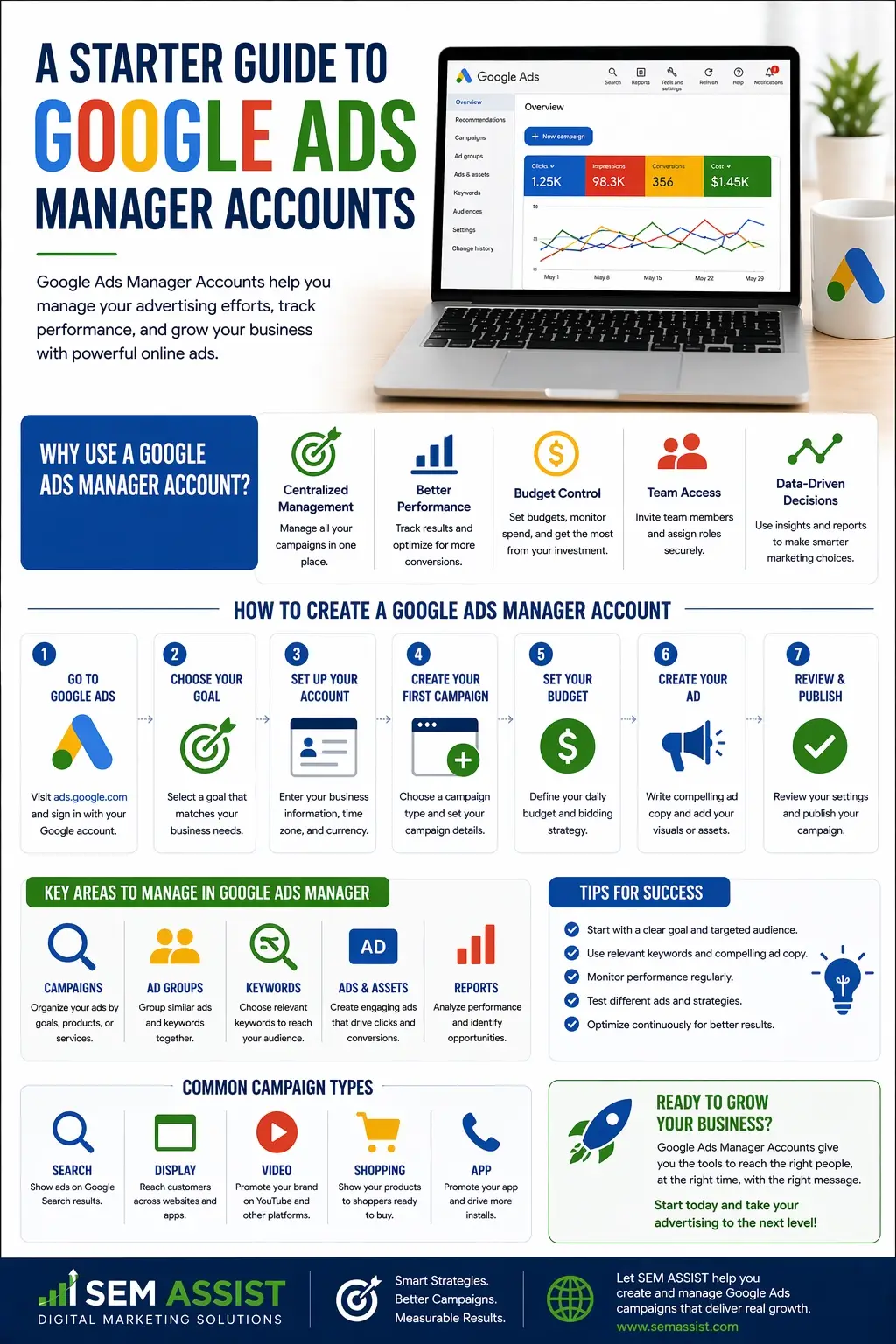
A Starter Guide to Google Ads Manager Accounts

A Starter Guide to Google Ads Manager Accounts

A Starter Guide to Google Ads Manager Accounts

Managing multiple advertising accounts can quickly become overwhelming, especially for agencies or businesses handling several brands. That is where Google Ads Manager Accounts come in.

Also known as MCC accounts, Manager Accounts allow you to manage multiple Google Ads accounts from a single dashboard. Whether you are running campaigns for clients or overseeing multiple locations, this tool simplifies your workflow and gives you better control.

Here is everything you need to know to get started.


What Is a Google Ads Manager Account

A Google Ads Manager Account is a central hub that allows you to access and manage multiple individual Google Ads accounts in one place. Instead of logging in and out of different accounts, you can view performance, make updates, and monitor campaigns from a single interface.

Manager Accounts are commonly used by marketing agencies, franchises, and businesses with multiple locations.

You can explore the platform through Google Ads, where Manager Accounts provide a higher level view of all linked accounts.


Who Should Use a Manager Account

Manager Accounts are ideal for anyone managing more than one advertising account.

This includes:

  • Marketing agencies handling multiple clients
  • Businesses with several locations or departments
  • Franchises that need centralized control
  • Teams that collaborate on advertising campaigns

If you are switching between accounts frequently, a Manager Account can save time and reduce errors.


Key Benefits of Using a Manager Account

Using a Manager Account offers several advantages that improve efficiency and performance.

Centralized Management

You can view and manage all accounts from one dashboard, which eliminates the need to log in separately.

Simplified Reporting

Performance data across multiple accounts can be analyzed in one place, making it easier to compare results and identify trends.

Access Control

You can grant different levels of access to team members without sharing individual account credentials.

Scalability

As your business grows, you can add more accounts without changing your workflow.

These benefits make Manager Accounts essential for scaling advertising efforts effectively.


How to Set Up a Manager Account

Getting started is a straightforward process.

First, create a Manager Account through Google Ads using a dedicated email address. This account will act as your main control center.

Next, link existing Google Ads accounts by sending access requests. Once approved, those accounts will appear in your dashboard.

You can also create new accounts directly within your Manager Account if needed.

Organizing your accounts into groups can help keep everything structured and easy to manage.


Navigating the Dashboard

The Manager Account dashboard provides a high level overview of all linked accounts.

From this interface, you can:

  • View performance metrics such as clicks, impressions, and conversions
  • Access individual accounts for detailed campaign management
  • Monitor account health and activity
  • Adjust settings across multiple accounts

Learning how to navigate this dashboard efficiently will save time and improve your overall campaign management.


Best Practices for Managing Multiple Accounts

To get the most out of your Manager Account, it is important to follow a few key practices.

Stay Organized

Group accounts by client, location, or service type to keep your dashboard clean and easy to navigate.

Standardize Naming Conventions

Use consistent naming for campaigns and accounts so you can quickly identify what each one represents.

Monitor Performance Regularly

Review performance data across all accounts to spot trends and opportunities for improvement.

Set Clear Permissions

Assign roles carefully to ensure team members have the right level of access without compromising security.

Keeping your accounts organized and structured will make management much more efficient.


Common Mistakes to Avoid

While Manager Accounts are powerful, there are a few common mistakes to watch out for.

One mistake is failing to organize accounts properly, which can lead to confusion as you scale. Another is giving too much access to users who do not need it, which can create security risks.

Some users also overlook performance tracking at the account level, focusing too much on individual campaigns instead of the bigger picture.

Avoiding these mistakes will help you maintain control and maximize results.


How Manager Accounts Support Growth

As your advertising efforts expand, managing everything manually becomes more difficult.

Manager Accounts allow you to scale efficiently by providing a structured system for handling multiple campaigns and accounts. They give you better visibility into performance and help you make data driven decisions.

For agencies, this means managing more clients without sacrificing quality. For businesses, it means maintaining consistency across locations and campaigns.


Final Thoughts

A Google Ads Manager Account is an essential tool for anyone managing multiple advertising accounts. It simplifies workflows, improves organization, and provides valuable insights across all campaigns.

By setting up your Manager Account correctly and following best practices, you can create a strong foundation for scalable and effective advertising.

At SEM ASSIST, we help businesses and agencies streamline their advertising strategies and maximize performance across every account.


Ready to Take Control of Your Google Ads

If managing multiple accounts feels overwhelming, SEM ASSIST can help you simplify your strategy and improve results. From account setup to ongoing optimization, we provide the support you need to grow with confidence.

25 Marketing Books You Should Be Reading

25 Marketing Books

25 Marketing Books You Should Be Reading

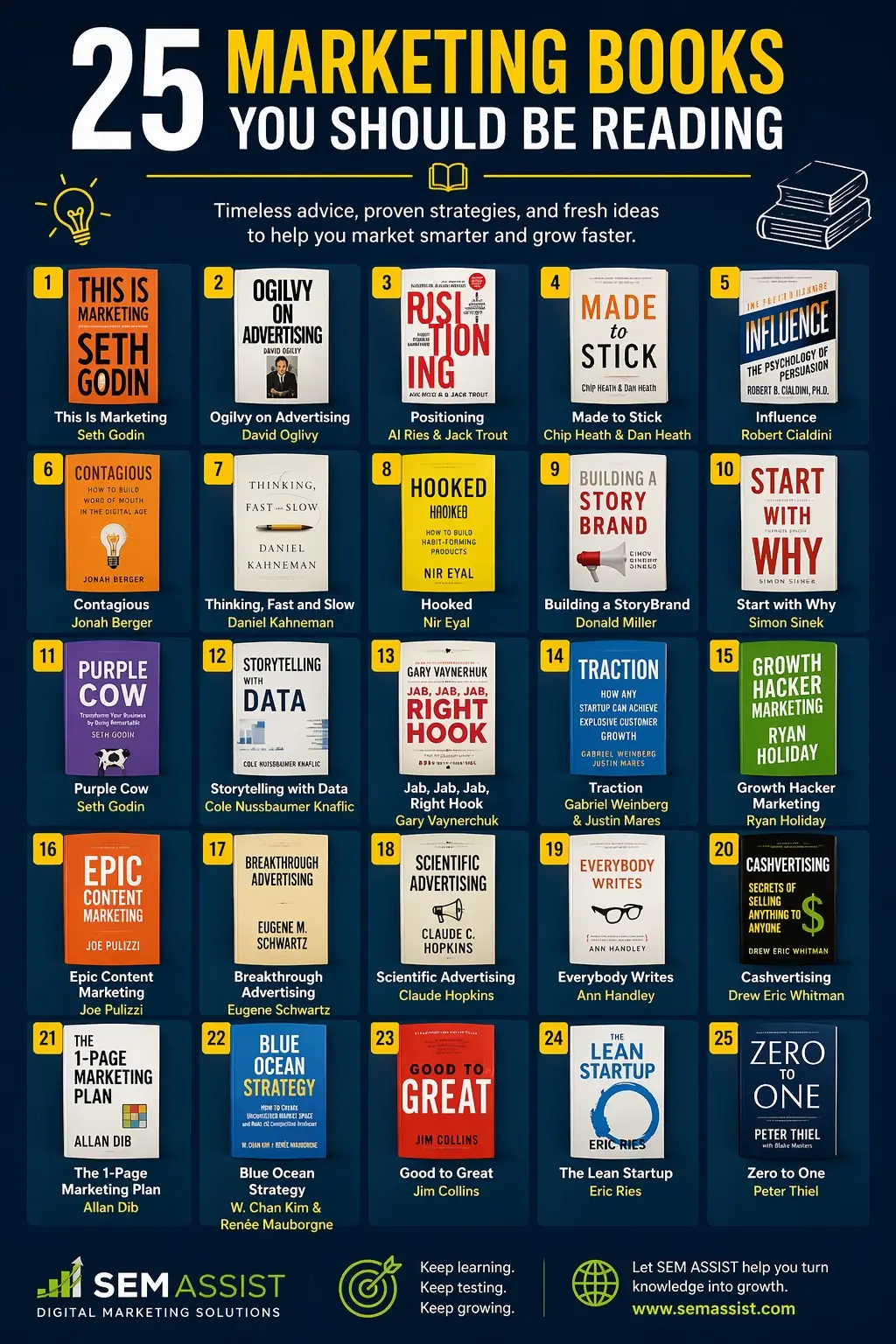
Marketing is constantly evolving, but the principles behind great strategy, persuasion, and growth remain timeless. One of the best ways to stay ahead is by learning from the experts who have shaped the industry.

Whether you are building a brand, running campaigns, or scaling a business, the right books can sharpen your thinking and improve your results.

Here are 25 marketing books you should be reading.


Foundational Marketing & Strategy

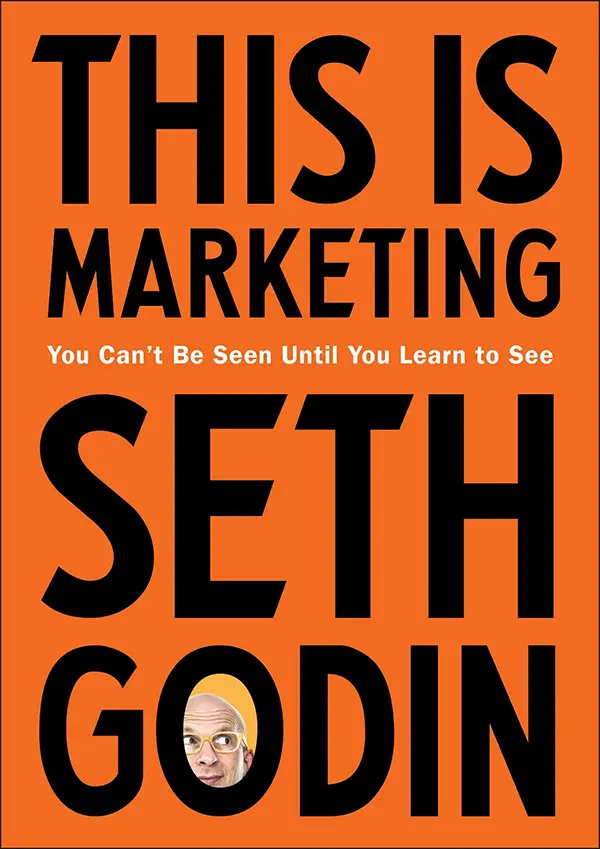
This Is Marketing by Seth Godin
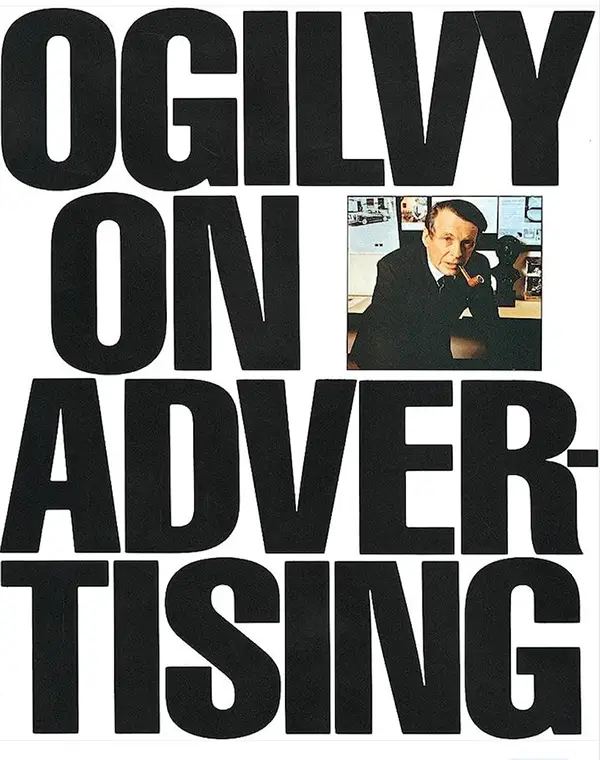
Ogilvy on Advertising
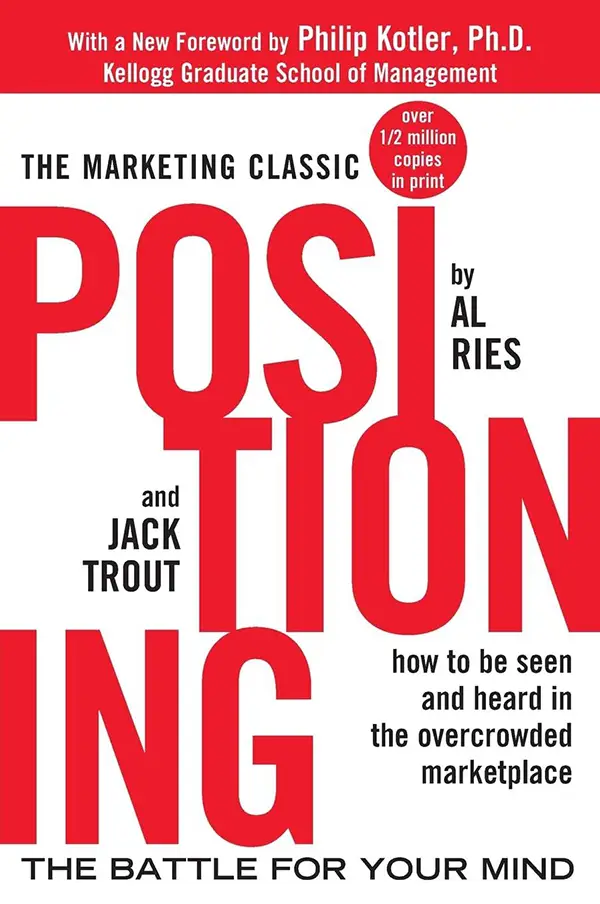
Positioning by Al Ries
  1. This Is Marketing by Seth Godin

    A modern take on creating meaningful marketing that connects with the right audience.
  2. Ogilvy on Advertising by David Ogilvy

    A classic guide to effective advertising from one of the industry’s legends.
  3. Positioning: The Battle for Your Mind by Al Ries and Jack Trout

    Explains how brands can stand out in a crowded marketplace.
  4. Made to Stick by Chip Heath and Dan Heath

    Breaks down why some ideas succeed while others are forgotten.

Psychology & Consumer Behavior

Influence The Psychology Of Persuasion by Robert B. Cialdini, PH.D.
Thinking Fast and Slow by Daniel Kahneman
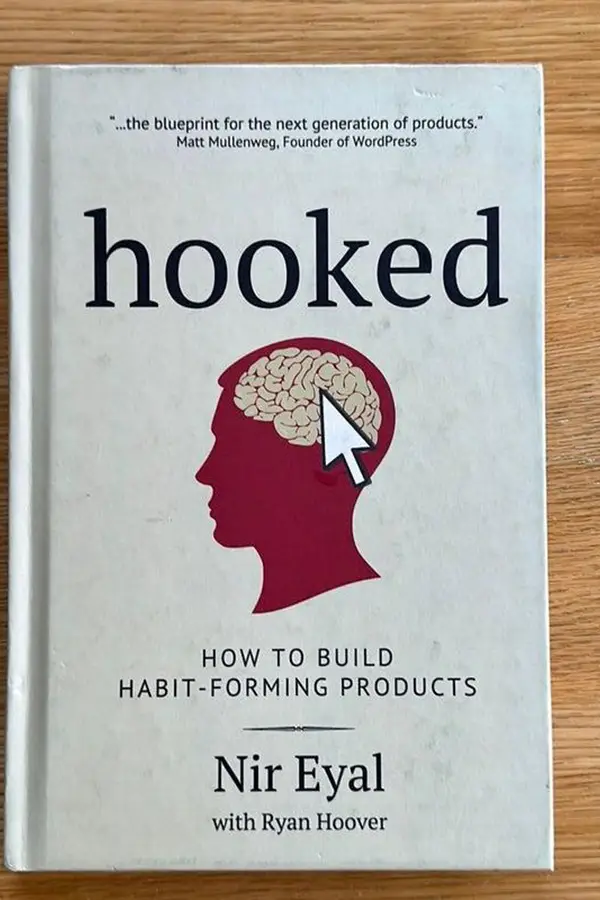
Hooked by Nir Eyal
Contagious by Jonah Berger
  1. Influence: The Psychology of Persuasion by Robert Cialdini

    A must read for understanding what drives decision making.
  2. Contagious: How to Build Word of Mouth in the Digital Age by Jonah Berger

    Explains why certain ideas and products go viral.
  3. Thinking, Fast and Slow by Daniel Kahneman

    A deep dive into how people think and make choices.
  4. Hooked: How to Build Habit Forming Products by Nir Eyal

    Teaches how to create products that keep users engaged.

Branding and Storytelling

Building A Story Brand by Donald Miller
Start With Why by Simon Sinek
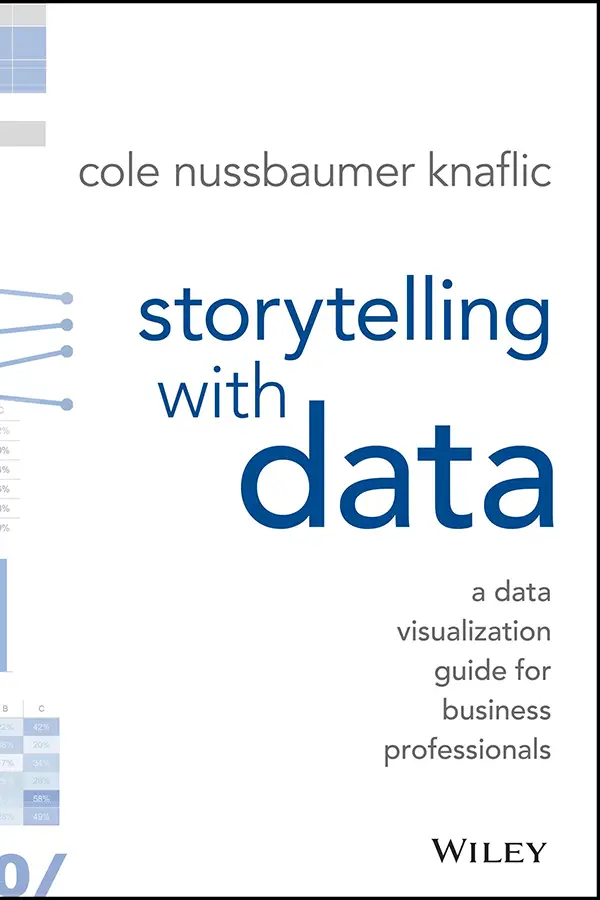
Story Telling with data
Purple Cow by Seth Godin
  1. Building a StoryBrand by Donald Miller

    Shows how to clarify your message so customers understand your value.
  2. Start with Why by Simon Sinek

    Focuses on the importance of purpose driven marketing.
  3. Purple Cow by Seth Godin

    Encourages brands to stand out instead of blending in.
  4. Storytelling with Data by Cole Nussbaumer Knaflic

    Teaches how to communicate insights clearly through data.

Digital Marketing and Growth

Jab, Jab, Jab, Right Hook by Gary Vaynerchuk
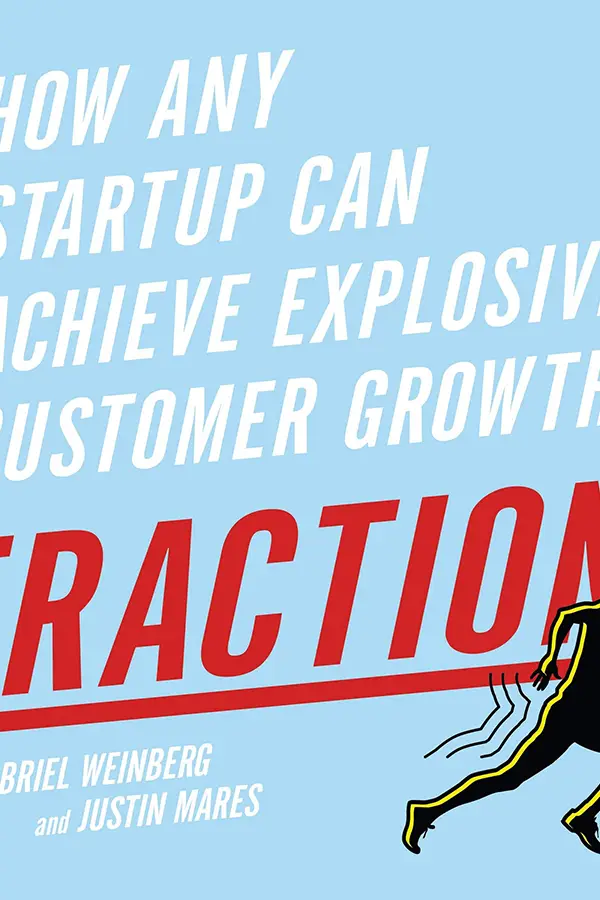
Traction by Gabriel Weinberg and Justin Mares
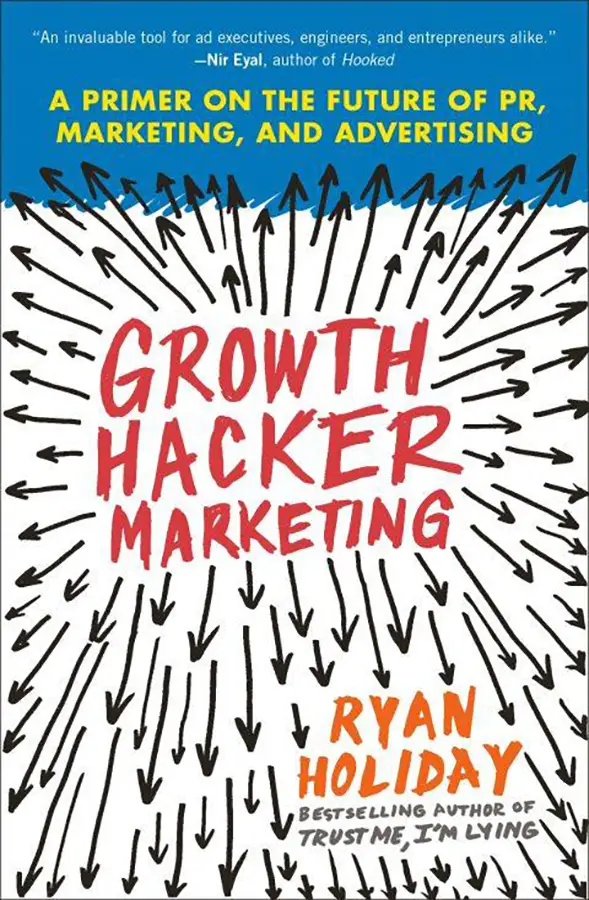
Growth Hacker Marketing by Ryan Holiday
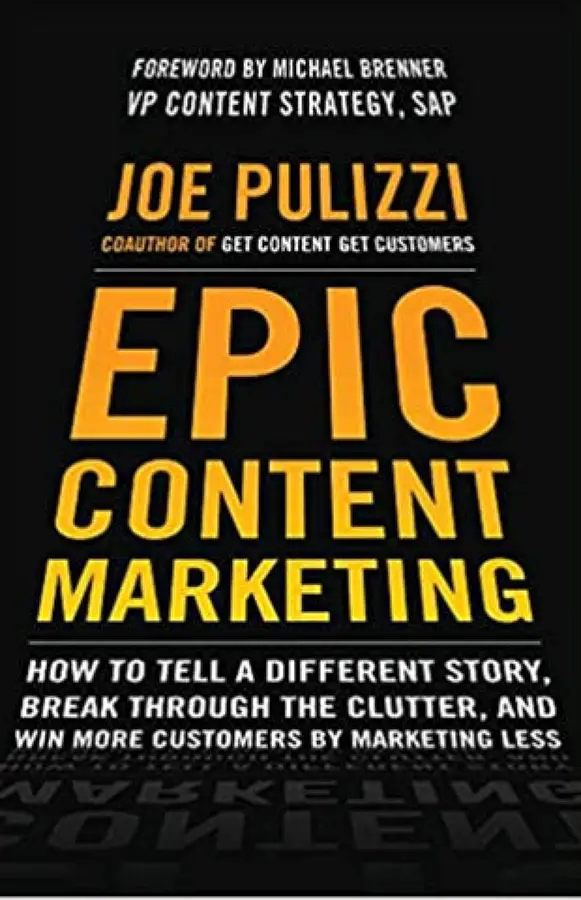
Epic Content Marketing by Joe Pulizzi
  1. Jab, Jab, Jab, Right Hook by Gary Vaynerchuk

    A guide to creating content that fits each social platform.
  2. Traction by Gabriel Weinberg and Justin Mares

    Outlines strategies for gaining consistent growth.
  3. Growth Hacker Marketing by Ryan Holiday

    Explores data driven marketing strategies for rapid growth.
  4. Epic Content Marketing by Joe Pulizzi

    Focuses on building an audience through valuable content.

Sales and Copywriting

Breakthrough Advertising by Eugene Schwartz
Everybody Writes by Ann Handley
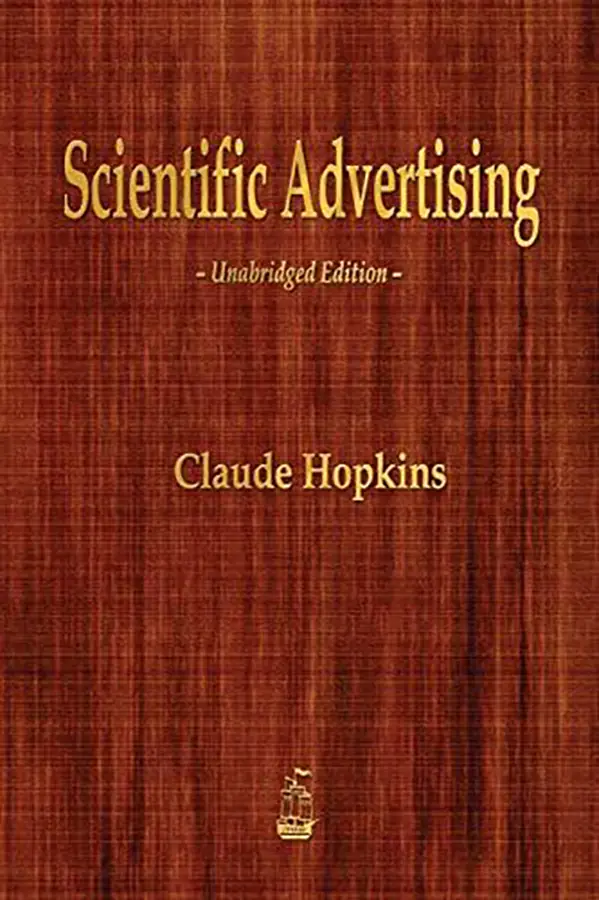
Scientific Advertising by Claude Hopkins
  1. Breakthrough Advertising by Eugene Schwartz

    A deep look into consumer awareness and persuasive copy.
  2. Scientific Advertising by Claude Hopkins

    A timeless guide to measurable marketing.
  3. Everybody Writes by Ann Handley

    Teaches how to write content that connects and converts.

  4. Cashvertising by Drew Eric Whitman

    Focuses on psychological triggers that drive sales.

Business & Mindset Marketers

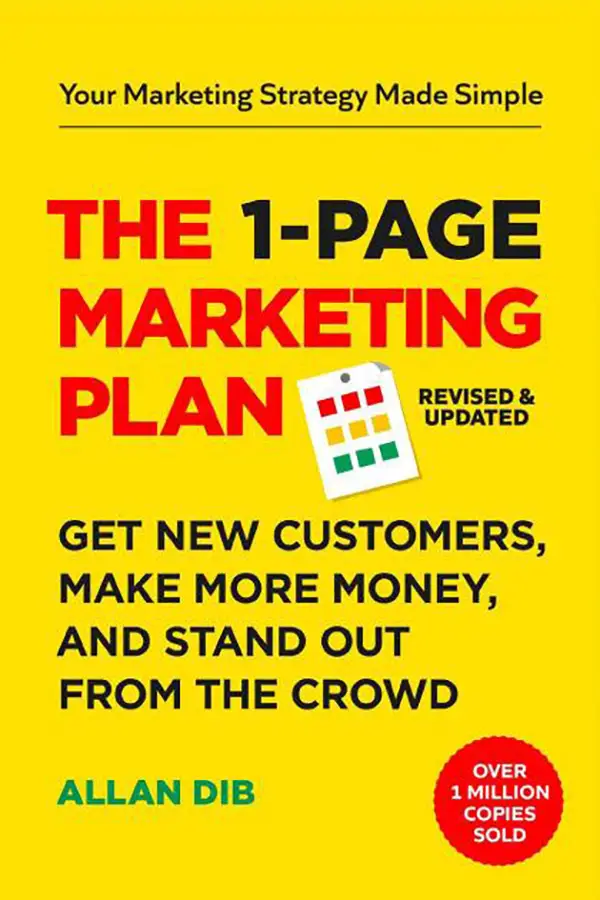
The 1-Page Marketing Plan by Alan Dib
Blue Ocean Strategy by W Chan Kim
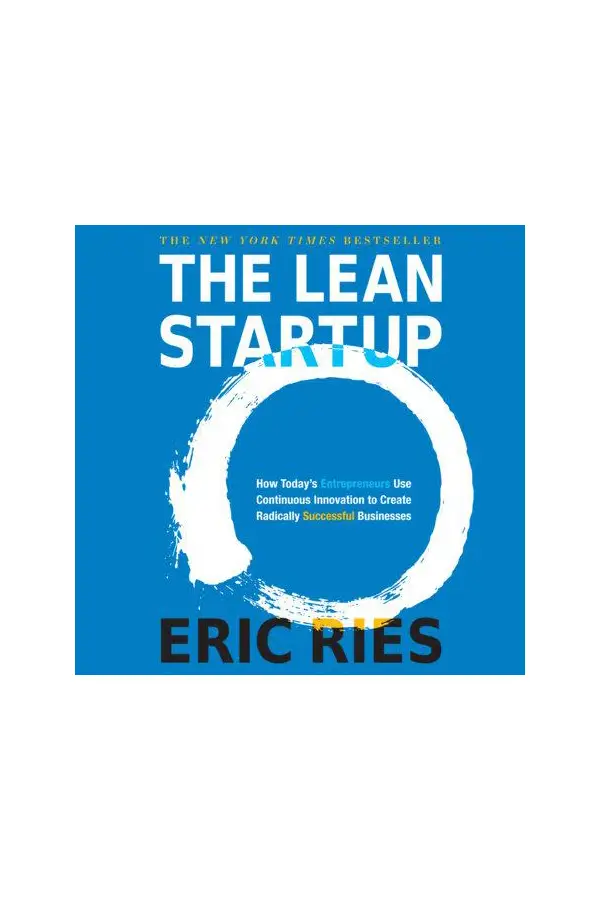
The Lean Startup by Eric Ries
Good To Great by Jim Collins
  1. The 1 Page Marketing Plan by Allan Dib

    A simple framework for building a clear marketing strategy.
  2. Blue Ocean Strategy by W Chan Kim and Renee Mauborgne

    Shows how to create new market space instead of competing.
  3. Good to Great by Jim Collins

    Explains what separates successful companies from average ones.
  4. The Lean Startup by Eric Ries

    Focuses on building and scaling businesses efficiently.
  5. Zero to One by Peter Thiel

    Encourages innovation and creating something entirely new.

Final Thoughts

Marketing success comes from a combination of strategy, psychology, creativity, and execution. These books provide insights from some of the most influential thinkers in the industry and can help you refine your approach.

At SEM ASSIST, we believe that continuous learning leads to better results. The more you understand your audience and the principles behind effective marketing, the stronger your campaigns will become.


Ready To Level Up Your Marketing Strategy

If you are looking to turn knowledge into real growth, SEM ASSIST can help you implement strategies that drive measurable results. From SEO to paid advertising, we help businesses grow with confidence.

How to Use Thought Leadership Marketing With Paid Ads

How to Use Thought Leadership Marketing With Paid Ads

Thought leadership marketing has become one of the most effective ways to build authority, trust, and long term brand growth. When combined with paid advertising, it becomes a powerful strategy that not only drives traffic but positions your business as the go to expert in your industry.

Most brands focus their paid ads on direct offers and quick conversions. While that approach can work, it often misses a larger opportunity to build credibility and influence buying decisions before the sale ever happens.

Here is how to use thought leadership marketing with paid ads the right way.


What Is Thought Leadership Marketing

Thought leadership marketing is the process of sharing valuable insights, expertise, and perspectives that position your brand as an authority in your field.

Instead of pushing sales messages, you are educating your audience and helping them understand problems, trends, and solutions. Over time, this builds trust and makes your brand the obvious choice when they are ready to take action.


Why Paid Ads Amplify Thought Leadership

Organic reach alone can limit how far your content goes. Paid advertising allows you to put your best insights in front of the right audience at scale.

Platforms like Google Ads and Facebook allow you to target specific demographics, industries, and interests.

This means your thought leadership content is not just visible, it is reaching people who are most likely to benefit from it and engage with your brand.


Focus on Value First

The key to successful thought leadership ads is delivering value before asking for anything in return.

Instead of promoting a service immediately, start with content that teaches something useful. This could include insights, strategies, or explanations that help your audience better understand a topic.

When your content is genuinely helpful, people are more likely to trust your brand and continue engaging with it.


Create Content That Positions You as an Expert

Not all content qualifies as thought leadership. To stand out, your content should demonstrate real expertise.

Focus on:

  • Industry insights and trends
  • Data driven analysis
  • Unique perspectives or opinions
  • Practical strategies your audience can apply

The goal is to share knowledge that your audience cannot easily find elsewhere.


Use the Right Ad Formats

Different types of content perform better depending on the format you choose.

Video content is highly effective for explaining ideas and building a personal connection. Written content such as blog posts or guides works well for deeper education. Visual content can simplify complex topics and make them easier to understand.

Test multiple formats to see what resonates most with your audience.


Build a Funnel Around Your Content

Thought leadership works best when it is part of a larger strategy.

Start by using paid ads to promote valuable content that attracts attention. Once users engage, guide them to the next step such as downloading a resource, signing up for a consultation, or visiting your website.

This creates a natural progression from awareness to conversion without feeling overly sales driven.


Retarget Engaged Audiences

One of the biggest advantages of paid ads is the ability to retarget users who have already interacted with your content.

If someone watches your video, reads your article, or visits your site, you can show them additional content that moves them closer to becoming a customer.

Retargeting helps reinforce your authority and keeps your brand top of mind.


Measure Performance Beyond Clicks

Success with thought leadership marketing is not just about clicks or immediate conversions.

Pay attention to metrics such as:

  • Engagement rates
  • Time spent on content
  • Video watch time
  • Return visits

These indicators show how well your content is building trust and interest over time.


Stay Consistent

Thought leadership is not built overnight. Consistency is what turns occasional content into a recognizable and trusted voice.

Regularly publish and promote high quality insights. Over time, your audience will begin to associate your brand with expertise and reliability.


Final Thoughts

Combining thought leadership marketing with paid ads allows you to do more than generate leads. It helps you build authority, earn trust, and create long term relationships with your audience.

When you focus on delivering real value and use paid advertising to amplify your message, your brand becomes more than just another option. It becomes the trusted choice.

At SEM ASSIST, we help businesses create strategies that not only drive traffic but position them as leaders in their industry.


Ready to Build Authority With Paid Ads

If you want to turn your paid advertising into a long term growth engine, SEM ASSIST can help you develop a strategy that combines expertise, visibility, and measurable results.

How to Read Your Website Source Code and Why It’s Important

How to Read Your Website Source Code and Why It Is Important

Most business owners focus on how their website looks on the surface. While design and user experience matter, what is happening behind the scenes plays an equally important role in performance, search visibility, and functionality.

Your website source code is the foundation of everything users and search engines interact with. Understanding how to read it can give you valuable insight into how your site works and where improvements can be made.

Here is a simple guide to help you understand your website source code and why it matters.


What Is Website Source Code

Website source code is the underlying structure that tells a browser how to display your website. It includes the text, tags, and scripts that control layout, content, and functionality.

Most websites are built using HTML for structure, CSS for design, and JavaScript for interactivity.

When combined, these elements create the experience users see when they visit your site.


How to View Your Website Source Code

You do not need to be a developer to view your source code.

In most browsers, you can right click anywhere on your page and select view page source. This will open a new tab showing the raw code behind your website.

You can also use developer tools by right clicking and selecting inspect. This allows you to see specific elements and how they are structured in real time.


Understanding Basic HTML Structure

When you first open your source code, it may look overwhelming. However, it becomes easier once you recognize the basic structure.

HTML is made up of tags that define different parts of your page.

For example:

The head section contains important information for search engines such as the title and meta description.

The body section contains the visible content such as headings, text, images, and links.

Headings are labeled from H1 to H6 and help organize your content. Paragraph tags contain your written content. Image tags display visuals and include descriptions that help with accessibility and search optimization.

Learning to identify these elements is the first step in understanding your site.


Why Source Code Matters for SEO

Search engines rely heavily on your source code to understand your website.

Elements like title tags, meta descriptions, header structure, and internal links all play a role in how your site is indexed and ranked.

If your code is messy, missing important tags, or improperly structured, it can hurt your visibility in search results.

Clean and organized code helps search engines crawl your site more efficiently and understand your content more clearly.


Identifying SEO Opportunities

Reading your source code allows you to spot areas for improvement.

You can check if your title tag includes your target keyword. You can review your meta description to ensure it is compelling and accurate. You can also verify that your images include descriptive text and that your headings are structured properly.

These small adjustments can have a meaningful impact on your search performance.


Improving Website Performance

Source code also affects how fast your website loads.

Large scripts, unnecessary code, and unoptimized images can slow down your site. This not only affects user experience but can also impact your rankings.

By reviewing your code, you can identify elements that may be slowing your site down and take steps to improve performance.


Enhancing User Experience

A well structured website is easier for users to navigate.

Your source code determines how content is organized and displayed. If your code is clean and logical, it creates a smoother experience for visitors.

This can lead to longer time on site, lower bounce rates, and higher conversion rates.


Detecting Errors and Issues

Sometimes problems on your website are not visible at first glance.

Broken links, missing images, or script errors can often be found in your source code. Developer tools can help you identify these issues quickly.

Fixing these errors improves both user experience and overall site performance.


How Often Should You Check Your Code

You do not need to review your source code daily, but it is a good idea to check it regularly.

Review your code when launching new pages, updating content, or making design changes. This ensures everything is working as expected and optimized properly.

Consistent monitoring helps prevent small issues from becoming bigger problems.


Final Thoughts

Understanding your website source code gives you a deeper level of control over your online presence. It allows you to identify opportunities, fix issues, and improve both performance and search visibility.

You do not need to become a developer, but having a basic understanding can make a significant difference in how your website performs.

At SEM ASSIST, we help businesses optimize every layer of their digital presence, from front end design to technical performance.


Ready to Improve Your Website Performance

If you want to ensure your website is fully optimized for search engines and users, SEM ASSIST can help you analyze, improve, and scale your online presence with confidence.

What is IaaS? How Does it Affect Your e-Commerce Site?

What is IaaS? How IaaS works.

What Is IaaS How Does It Affect Your eCommerce Site

As eCommerce continues to grow, the technology behind your website plays a major role in performance, scalability, and customer experience. One of the most important components of modern web infrastructure is IaaS, or Infrastructure as a Service.

While it may sound technical, understanding IaaS can help you make smarter decisions about how your online store is hosted and managed.

Here is what you need to know and how it impacts your eCommerce site.


What Is IaaS

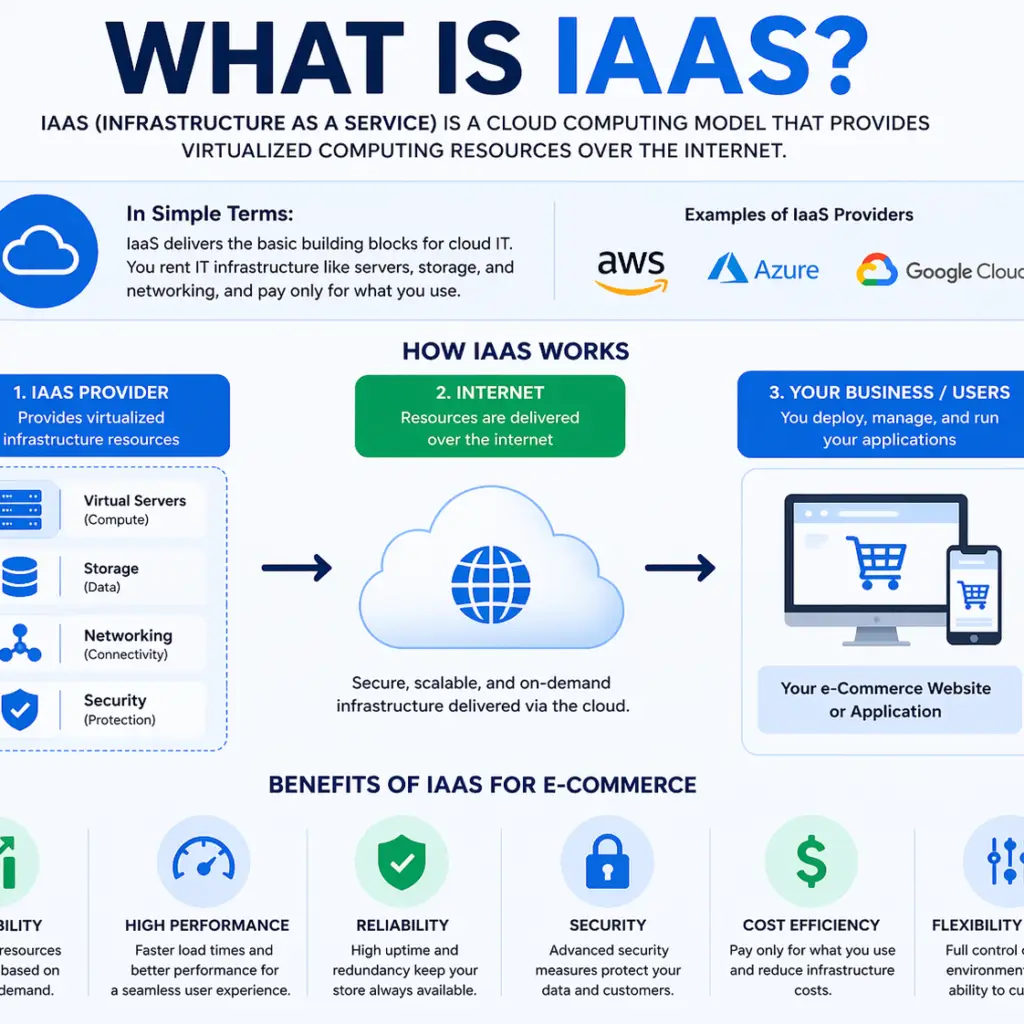
Infrastructure as a Service is a cloud computing model that provides virtualized computing resources over the internet. Instead of owning physical servers, businesses can rent infrastructure such as storage, servers, and networking from a provider.

Companies like Amazon Web Services, Microsoft Azure, and Google Cloud offer IaaS solutions that allow businesses to run websites and applications without managing physical hardware.

This approach gives businesses flexibility and control without the cost and complexity of maintaining their own infrastructure.


How IaaS Works

With IaaS, your website is hosted on virtual servers in the cloud. These servers can be scaled up or down depending on your needs.

Instead of relying on a single physical server, your site can use distributed resources that adjust based on traffic and demand. This ensures your website remains stable even during high traffic periods.

You only pay for the resources you use, which makes it a cost effective solution for many businesses.


Why IaaS Matters for eCommerce

For an eCommerce site, performance and reliability are critical. Even small delays or downtime can lead to lost sales and frustrated customers.

IaaS provides the infrastructure needed to support a fast, reliable, and scalable online store.

Here are the key ways it affects your business.


Improved Website Speed and Performance

Website speed is one of the most important factors in both user experience and search rankings.

IaaS platforms offer high performance servers and global data centers that help deliver content quickly to users regardless of their location.

Faster load times lead to better engagement and higher conversion rates.


Scalability During Traffic Spikes

eCommerce sites often experience traffic spikes during promotions, holidays, or product launches.

With traditional hosting, these spikes can overwhelm your server and cause your site to crash.

IaaS allows you to scale your resources instantly to handle increased demand. Once traffic returns to normal, you can scale back down.

This flexibility ensures your site stays online when it matters most.


Enhanced Security

Security is a major concern for any online store.

IaaS providers offer advanced security features such as firewalls, data encryption, and regular updates. These tools help protect your website and customer data from threats.

While security is still a shared responsibility, using a reputable IaaS provider gives you a strong foundation.


Cost Efficiency

Building and maintaining physical infrastructure can be expensive.

IaaS eliminates the need for upfront hardware investments and ongoing maintenance costs. You only pay for the resources you use, which helps you manage expenses more effectively.

This is especially beneficial for growing businesses that need flexibility.


Greater Control and Customization

Unlike some managed hosting solutions, IaaS gives you more control over your environment.

You can configure your servers, install custom software, and optimize performance based on your specific needs.

This level of control is valuable for businesses with unique requirements or advanced functionality.


Potential Challenges to Consider

While IaaS offers many benefits, it also comes with some challenges.

Managing cloud infrastructure can require technical knowledge. Without proper setup and monitoring, you may not fully take advantage of its capabilities.

Costs can also increase if resources are not managed carefully.

Working with experienced professionals can help you avoid these issues and maximize your investment.


How to Know If IaaS Is Right for Your eCommerce Site

IaaS is a strong choice if your business is growing, experiencing fluctuating traffic, or requires more control over hosting.

If your current hosting solution struggles with performance or scalability, it may be time to consider moving to a cloud based infrastructure.

Evaluating your needs and long term goals will help determine if IaaS is the right fit.


Final Thoughts

Infrastructure as a Service plays a critical role in modern eCommerce. It provides the speed, flexibility, and reliability needed to support a high performing online store.

By leveraging IaaS, businesses can improve user experience, handle traffic growth, and reduce operational complexity.

At SEM ASSIST, we help businesses build and optimize their digital infrastructure to support long term growth and performance.


Ready to Strengthen Your eCommerce Foundation

If you want to improve your website performance and scalability, SEM ASSIST can help you implement the right infrastructure and strategy to support your growth.

How to Use LinkedIn Insights in an Actionable Way

How To Use LinkedIn Insights in An Actionable Way

How to Use LinkedIn Insights in an Actionable Way

LinkedIn has become one of the most powerful platforms for B2B marketing, networking, and brand positioning. While many businesses focus on posting content, far fewer take full advantage of the insights available to guide smarter decisions.

Understanding and using LinkedIn insights in an actionable way can help you refine your strategy, reach the right audience, and generate higher quality leads.

Here is how to turn LinkedIn data into real results.


What Are LinkedIn Insights

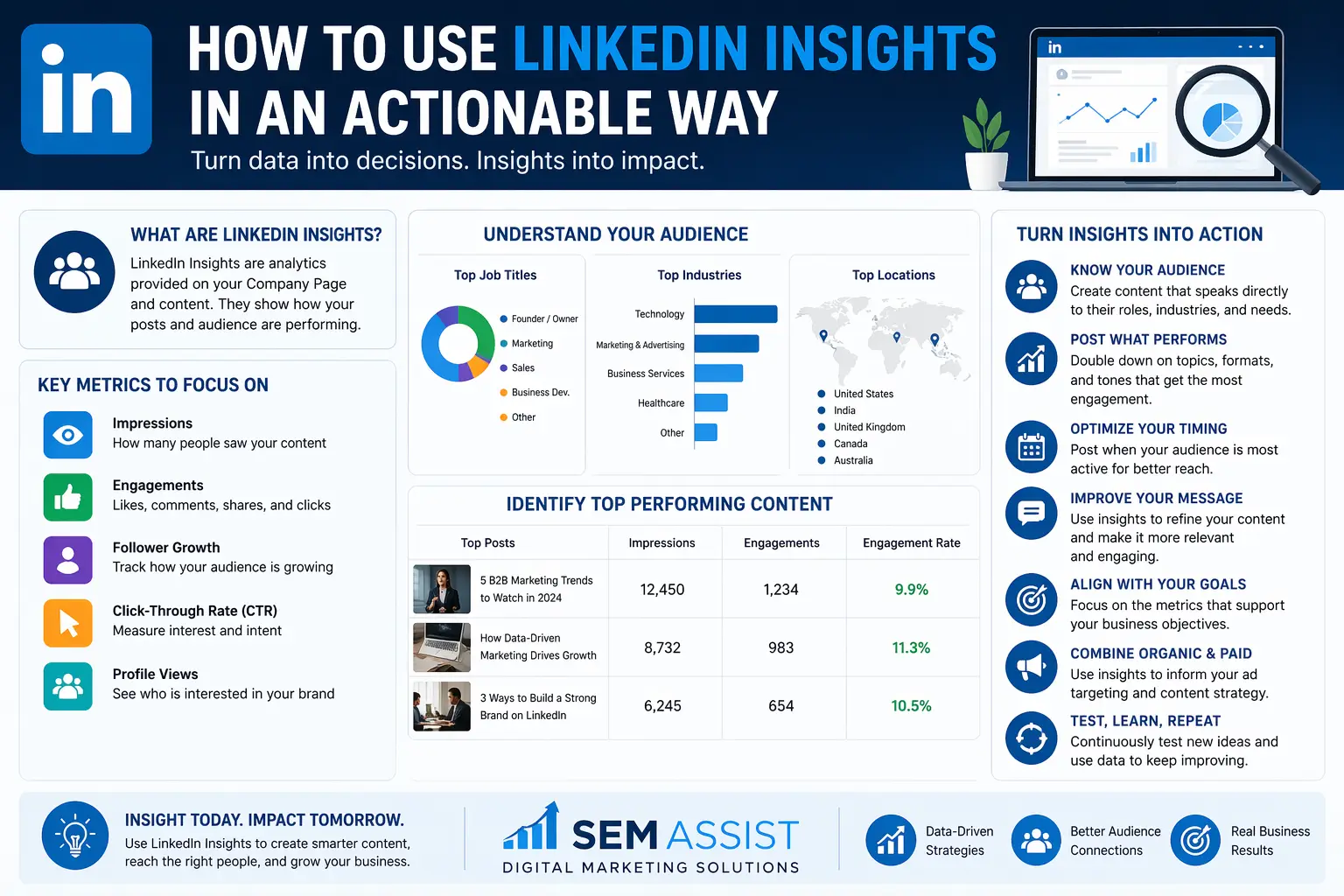
LinkedIn insights are data points provided within LinkedIn that show how your content, profile, and company page are performing.

These insights include information about your audience, engagement levels, content performance, and follower growth.

Instead of guessing what works, you can use this data to make informed marketing decisions.


Focus on the Metrics That Matter

Not all metrics carry the same value. To use LinkedIn insights effectively, you need to focus on the data that directly impacts your goals.

Pay close attention to engagement metrics such as likes, comments, and shares. These indicate how well your content resonates with your audience.

Follower growth shows whether your brand is attracting new attention. Click through rates and profile views can help you understand interest and intent.

By focusing on meaningful metrics, you avoid getting distracted by vanity numbers.


Understand Your Audience

One of the most valuable features of LinkedIn insights is audience data.

You can see information such as job titles, industries, company sizes, and locations of your followers and viewers.

This allows you to answer important questions. Are you reaching decision makers or entry level employees. Are your posts attracting the right industries. Is your messaging aligned with your ideal client.

When you understand your audience, you can create content that speaks directly to their needs.


Identify Top Performing Content

Your past content provides a roadmap for future success.

Review your posts to identify which ones generated the most engagement. Look for patterns in topics, formats, and messaging.

For example, you may find that educational posts perform better than promotional ones, or that certain industries respond more actively to your insights.

Once you identify what works, you can double down on similar content.


Optimize Your Posting Strategy

LinkedIn insights can help you determine when and how often to post.

Analyze when your audience is most active and which days generate the highest engagement. This allows you to schedule content at times when it is more likely to be seen.

Consistency also plays a key role. Posting regularly keeps your brand visible and helps build momentum over time.


Use Insights to Improve Your Messaging

If your content is not performing as expected, your insights can help you understand why.

Low engagement may indicate that your message is unclear or not relevant to your audience. High impressions with low interaction may suggest that your content is not compelling enough to drive action.

Use this feedback to refine your messaging and make it more engaging and valuable.


Align Insights With Business Goals

Data becomes truly actionable when it is tied to your business objectives.

If your goal is lead generation, focus on metrics that show interest and conversion such as clicks and inquiries. If your goal is brand awareness, impressions and reach may be more important.

By aligning your insights with your goals, you can measure success more accurately and adjust your strategy accordingly.


Combine Organic and Paid Strategies

LinkedIn insights are not just useful for organic content. They can also improve your paid advertising strategy.

Use data from your best performing posts to inform your ad campaigns. Target audiences that have already shown interest in your content.

This approach increases the likelihood of engagement and improves the return on your advertising investment.


Continuously Test and Improve

Marketing on LinkedIn is not a one time effort.

Use your insights to test different types of content, formats, and messaging. Track the results and refine your approach over time.

Small improvements can lead to significant gains when applied consistently.


Final Thoughts

LinkedIn insights provide a powerful advantage for businesses that know how to use them. Instead of relying on guesswork, you can make data driven decisions that improve your content, reach, and results.

By focusing on the right metrics, understanding your audience, and continuously refining your strategy, you can turn LinkedIn into a valuable growth channel.

At SEM ASSIST, we help businesses turn data into actionable strategies that drive real outcomes.


Ready to Turn Insights Into Growth

If you want to get more from your LinkedIn marketing, SEM ASSIST can help you develop a strategy that uses real data to attract the right audience and generate meaningful results.

10 Title Tag Tweaks That’ll Boost Your SEO Traffic

10 Title Tag Tweaks To Boost Your SEO Traffic.

10 Title Tag Tweaks That Will Boost Your SEO Traffic

Your title tag is one of the most important elements of on page SEO. It is often the first thing users see in search results, and it plays a major role in how search engines understand your page.

A well written title tag can improve your rankings, increase your click through rate, and drive more qualified traffic to your website.

Here are ten powerful title tag tweaks that can help boost your SEO performance.


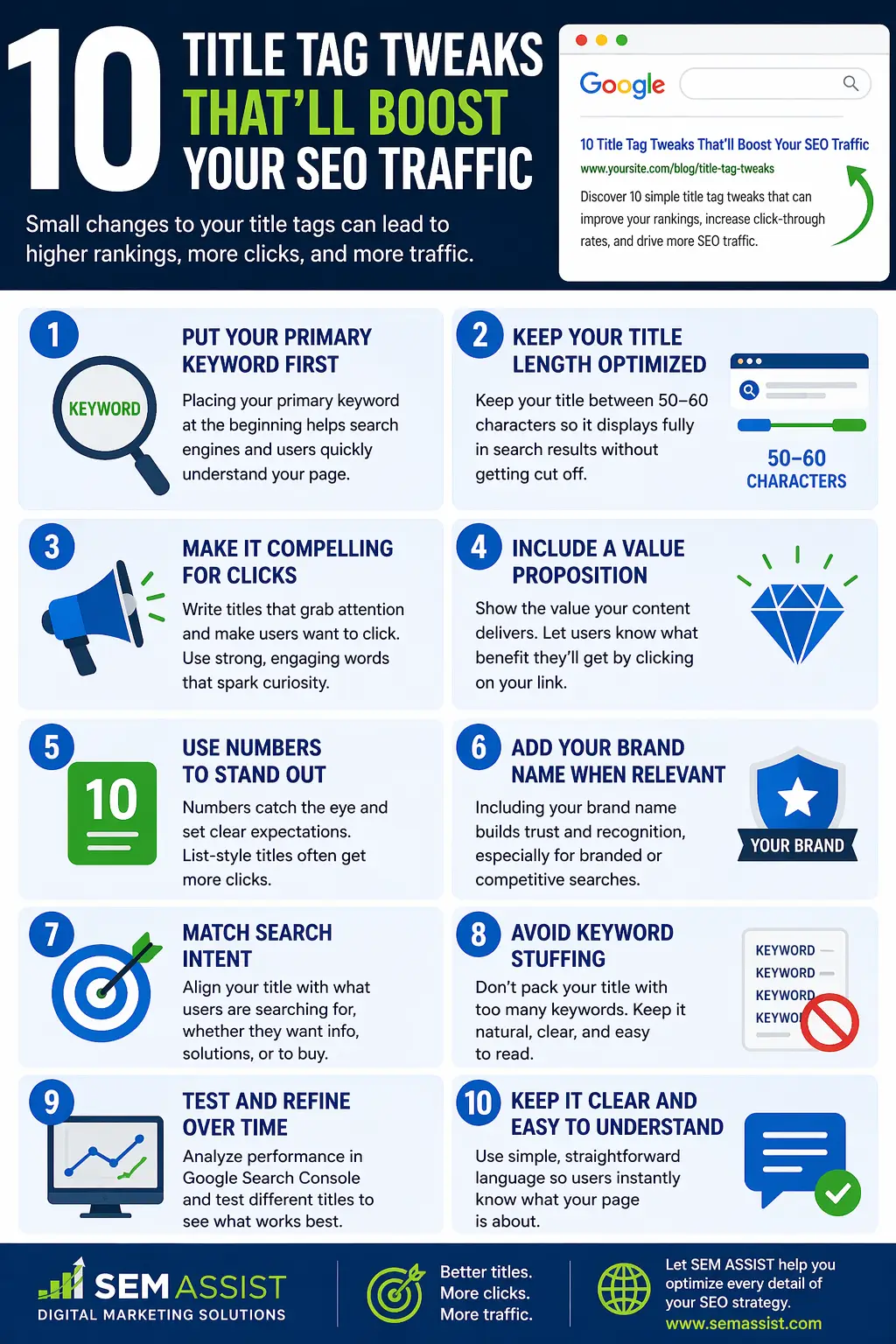
1. Put Your Primary Keyword First

Search engines place more weight on keywords that appear at the beginning of your title tag.

Placing your primary keyword early helps both users and search engines quickly understand what your page is about. It also improves visibility when users scan search results.


2. Keep Your Title Length Optimized

Title tags that are too long may get cut off in search results.

Aim to keep your titles within an optimal range so the full message is visible. Clear and complete titles are more likely to attract clicks.


3. Make It Compelling for Clicks

Ranking on the first page is only part of the goal. You also need users to click on your result.

Use language that creates curiosity or highlights value. Focus on what the user will gain by visiting your page.


4. Include a Value Proposition

Your title should clearly communicate why your content is worth clicking.

Think about what makes your page different or better. Whether it is expert advice, proven strategies, or real results, make that value clear.


5. Use Numbers to Stand Out

Numbers naturally draw attention in search results.

Titles that include numbers such as lists or steps often perform better because they set clear expectations for the reader.


6. Add Your Brand Name When Relevant

Including your brand name can build trust and recognition.

This is especially useful if your brand is already known or if you are targeting branded search traffic. It can also help improve credibility in competitive search results.


7. Match Search Intent

Your title tag should align with what the user is actually searching for.

If someone is looking for information, your title should reflect that. If they are ready to take action, your title should guide them toward that next step.

Matching intent improves both rankings and user satisfaction.


8. Avoid Keyword Stuffing

Adding too many keywords to your title can make it look unnatural and reduce its effectiveness.

Focus on one primary keyword and keep the wording clear and readable. Search engines are advanced enough to understand context without repetition.


9. Test and Refine Over Time

SEO is not a one time task.

Monitor how your title tags perform and make adjustments based on the results. Small changes can lead to noticeable improvements in traffic and engagement.


10. Keep It Clear and Easy to Understand

Clarity is key when it comes to title tags.

Avoid vague or confusing language. Your title should immediately tell users what they can expect from your page.

Simple and direct titles often perform better than overly complex ones.


Final Thoughts

Your title tag is a small element that can have a big impact on your SEO results. By making thoughtful adjustments, you can improve your visibility, attract more clicks, and drive higher quality traffic to your website.

At SEM ASSIST, we focus on optimizing every detail that contributes to search performance. From title tags to full content strategies, we help businesses grow through smarter SEO.


Ready to Increase Your SEO Traffic

If you want to improve your search rankings and drive more traffic to your website, SEM ASSIST can help you build a strategy that delivers measurable results.

Blog SEO: How to Search Engine Optimize Your Blog Content

Blog SEO: How to Search Engine Optimize Your Blog Content

Blog SEO How to Search Engine Optimize Your Blog Content

Creating blog content is only half the battle. If your content is not optimized for search engines, it may never reach the audience it was created for.

Blog SEO is the process of improving your content so it ranks higher in search results, attracts the right visitors, and drives meaningful engagement. When done correctly, it can turn your blog into a powerful traffic and lead generation tool.

Here is how to search engine optimize your blog content effectively.


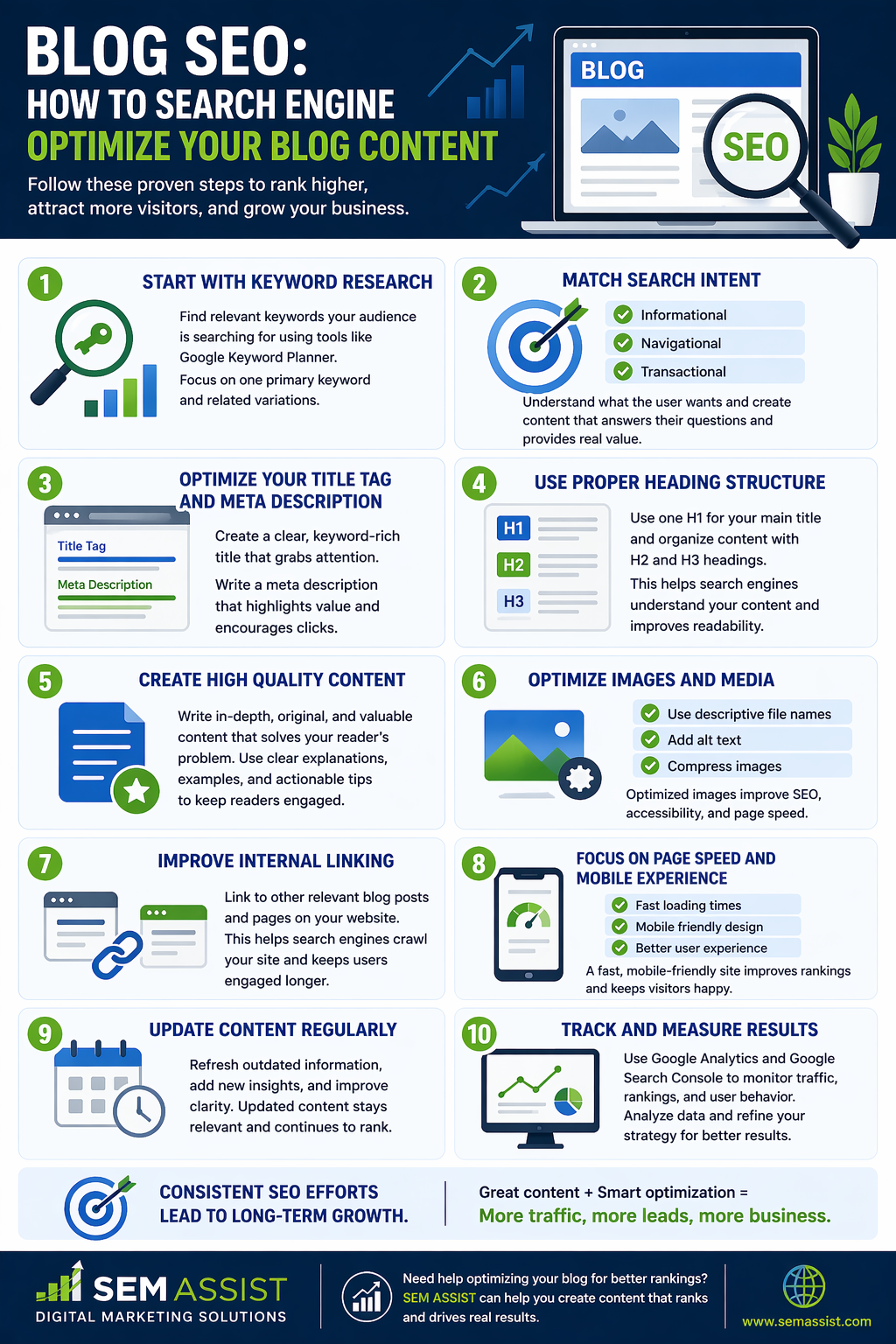
Start With Keyword Research

Every successful blog post begins with understanding what your audience is searching for.

Keyword research helps you identify the terms and phrases people use when looking for information. Tools like Google Keyword Planner can help you discover relevant keywords with strong search volume and realistic competition.

Focus on one primary keyword and a few related variations. This keeps your content focused and aligned with user intent.


Match Search Intent

Ranking on search engines requires more than just targeting keywords. Your content must match the intent behind the search.

Ask yourself what the user wants to learn or accomplish. Are they looking for information, solutions, or guidance.

Create content that directly answers their questions and provides real value. When your content aligns with intent, it performs better in search results.


Optimize Your Title Tag and Meta Description

Your title tag and meta description are the first things users see in search results.

Your title should include your primary keyword and clearly describe what your content offers. It should also be compelling enough to encourage clicks.

Your meta description should provide a brief summary that highlights the value of your content and motivates users to visit your page.


Use Proper Heading Structure

Organizing your content with clear headings improves both readability and SEO.

Use one H1 tag for your main title and structure the rest of your content with H2 and H3 headings. This helps search engines understand your content and makes it easier for users to scan.

A well structured blog keeps readers engaged and improves overall performance.


Create High Quality Content

Search engines prioritize content that is helpful, relevant, and informative.

Focus on delivering value by fully covering your topic. Provide clear explanations, actionable insights, and useful information that solves the reader’s problem.

Avoid thin or repetitive content. Depth and quality make a significant difference in rankings.


Optimize Images and Media

Images can enhance your content, but they also need to be optimized.

Use descriptive file names and include alt text that explains what the image represents. This helps search engines understand your visuals and improves accessibility.

Compress images to ensure fast loading times, which is important for both user experience and SEO.


Improve Internal Linking

Internal links connect your blog posts to other pages on your website.

Linking to related content helps search engines crawl your site more effectively and keeps users engaged longer. It also distributes authority across your pages.

Make sure your links are relevant and add value to the reader.


Focus on Page Speed and Mobile Experience

Website performance plays a major role in SEO.

A slow or poorly optimized site can lead to higher bounce rates and lower rankings. Ensure your blog loads quickly and works well on all devices.

A smooth user experience encourages visitors to stay longer and interact with your content.


Update Content Regularly

SEO is not a one time effort.

Refreshing your blog content keeps it relevant and improves its performance over time. Update outdated information, add new insights, and improve clarity where needed.

Regular updates signal to search engines that your content is still valuable.


Track and Measure Results

To improve your blog SEO, you need to understand what is working.

Use tools like Google Analytics and Google Search Console to monitor traffic, rankings, and user behavior.

Analyze your data to identify opportunities for improvement and refine your strategy.


Final Thoughts

Blog SEO is essential for turning your content into a consistent source of traffic and leads. By focusing on keywords, intent, structure, and user experience, you can create content that performs well in search results and delivers real value.

At SEM ASSIST, we help businesses build content strategies that drive visibility, engagement, and growth.


Ready to Grow Your Blog Traffic

If you want to improve your blog performance and attract more qualified visitors, SEM ASSIST can help you develop a strategy that turns your content into a powerful marketing asset.